Logging
As they run, the worker threads each log events to their own circular buffer. When KillThreads is called each thread saves their log to a file, these are named
- worker_thread_log_0.txt
- worker_thread_log-1.txt
- worker_thread_log-2.txt
- etc...
You can use the LogVisualizer.py to produce a plot of the scheduling:
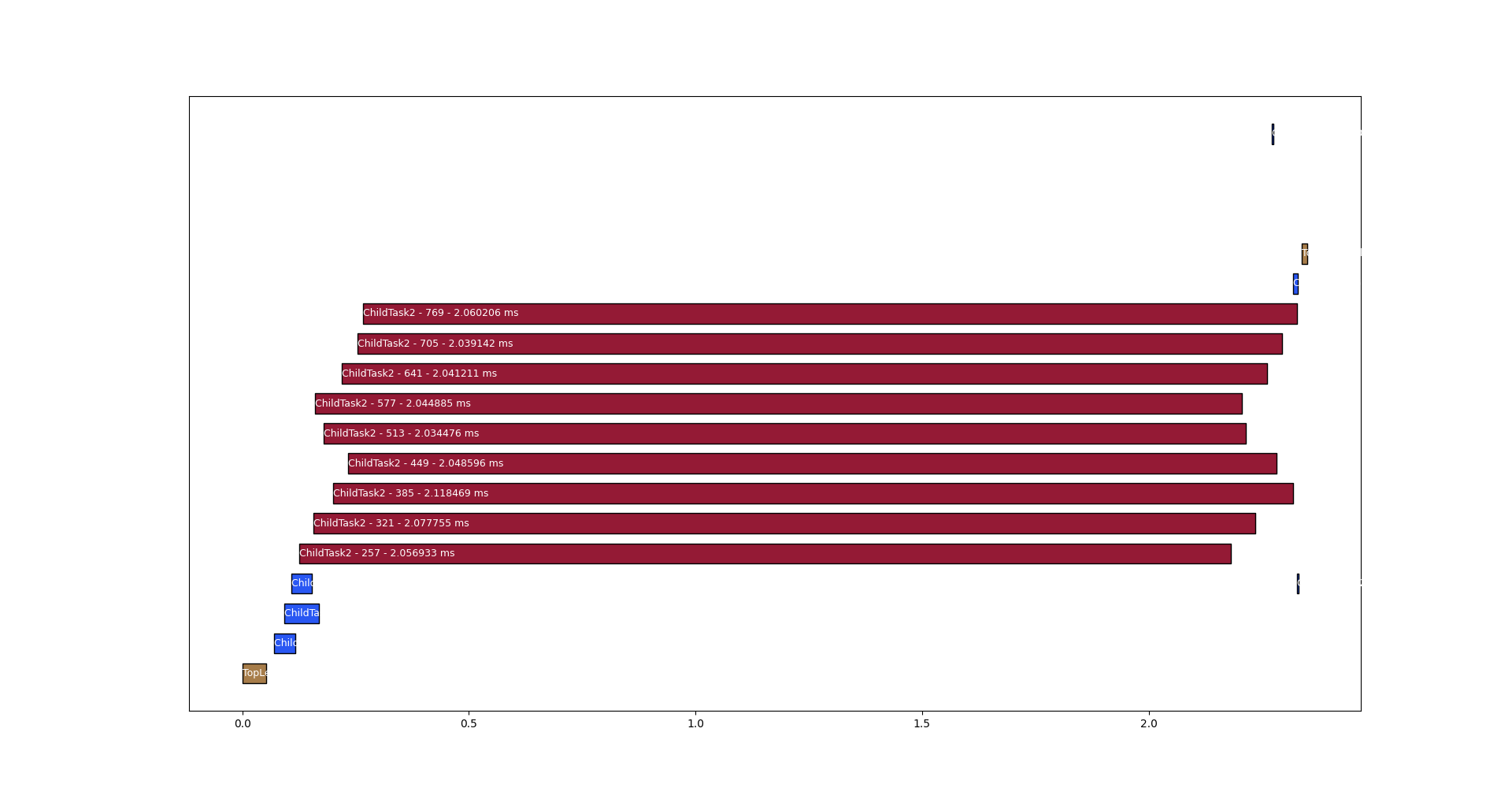
The above diagram shows one top level task kicking off 3 child tasks which each kick of three child tasks of their own, which do ~2ms of work.
LogVisualizer.py accepts the following arguments:
--txt_glob- glob expression to find log.txt files, defaults to "../worker_thread_*.txt"--dump_json- convert the logs into a chronological list of events by fiber and dump as json to stdout--help- show help--out- output png path - optional, if not passed, the plot is an interactive window--width- width in inches, only relevant with --out, is optional with a default--height- height in inches, only relevant with --out, is optional with a default--dpi- dots per inch, only relevant with --out, is optional with a default